I used to store all of my config files inside ~/.config directory. It worked just fine, but syncing them could be quite annoying since I didn’t want everything to go into my dotfiles repo.
What I used to do was to have a include list of files, literally a reversed .gitignore, where it ignored everything by default and only observed specified files/directories.
~/.config/.gitignore
/*

!.gitignore
!/public/
!README.md

!/ghostty/
!/nvim/
!/tmux/
...
This way however was quite messy, it mixed files that were synced with the ones that were not, as well as limiting, since I could only have config files inside ~/.config directory.
I’ve seen the concept of ~/dotfiles directory many times, and since I’m already using symlinks to sync files from outside the ~/.config dir, I have decided to finally give it a try.
Implementation
For ease of use I divided the script into 2 files, dotfiles-lib.sh and dotfiles.sh, the former one holding the logic and the latter one being the configuration file.
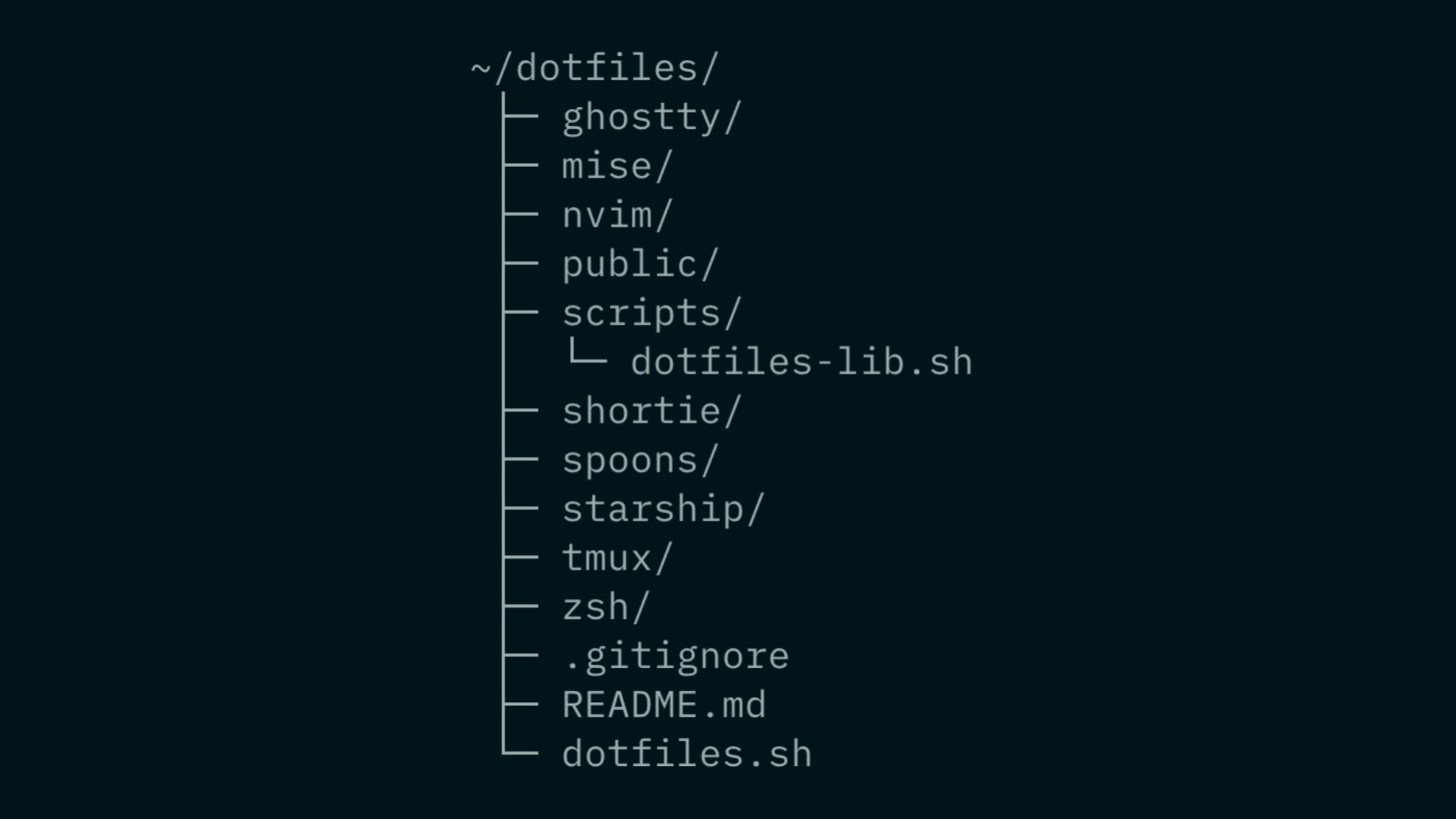
Here is an example of the ~/dotfiles directory
├─ public/
├─ nvim/
├─ zsh/
├─ scripts/
│  └─ dotfiles-lib.sh
├─ .gitignore
├─ README.md
└─ dotfiles.sh
And here is an example of the config file
~/dotfiles/dotfiles.sh
#!/usr/bin/env bash

DOTFILES="$HOME/dotfiles"
CONFIG="$HOME/.config"

source "$DOTFILES/scripts/dotfiles-lib.sh"

#    "name"    "source"                  "target"
link "zsh"     "$DOTFILES/zsh"           "$CONFIG/zsh"
link "zshrc"   "$DOTFILES/zsh/init.zsh"  "$HOME/.zshrc"
link "neovim"  "$DOTFILES/nvim"          "$CONFIG/nvim"
# ...

# run the command AFTER setting the symlinks
run $1
The dotfiles-lib.sh is quite simple, its sole job is to generate/remove symlinks.
I use 3 arrays to store the symlinks data: NAMES, SRCS, TARGETS, since data is added to them at the same time, we can later access it by the same index in each array.
NAMES=(); SRCS=(); TARGETS=();

link() {
  NAMES+=($1)
  SRCS+=($2)
  TARGETS+=($3)
}
The first main function is symlink creation, we simply loop through one of the arrays, retrieve the values and create the symlink. Before the symlink creation I first do 2 checks.
- If
srcdoesn’t exist, skip to the next item - If the
targetis already a symlink, skip to the next item
Also just before the ln cmd we use mkdir -p (-p no error if existing), to make sure the path exists.
~/dotfiles/scripts/dotfiles-lib.sh
create_links() {
	for i in "${!NAMES[@]}"; do
		local name="${NAMES[$i]}" src="${SRCS[$i]}" target="${TARGETS[$i]}"

		# $src doesn't exist
		if [[ ! -e "$src" ]]; then
			continue
		fi

		# $target symlink already exists
		if [[ -e "$target" || -L "$target" ]]; then
			continue
		fi

		mkdir -p "$(dirname "$target")"
		ln -s "$src" "$target"
	done
}
The deletion function is very similar, first we check if the symlink exists, if it doesn’t, we skip the item. If it does we simply unlink the symlink.
delete_links() {
	for i in "${!NAMES[@]}"; do
		local target="${TARGETS[$i]}"

		# $target is not a symlink
		if [[ ! -L "$target" ]]; then
			continue
		fi

		unlink "$target"
	done
}
The code snippets are simplified for the sake of the length of this article, you can check out the full version here.
Summary
My initial worry that this approach is overcomplicated turned out to be false. Overall I’m satisfied with this approach and find it cleaner and easier to use even though the initial setup is a bit more complicated.